

How AUVY works on a project.
When a client changes a requirement, AUVY shows what changed, what it affects and what to do next, with the evidence. You decide.
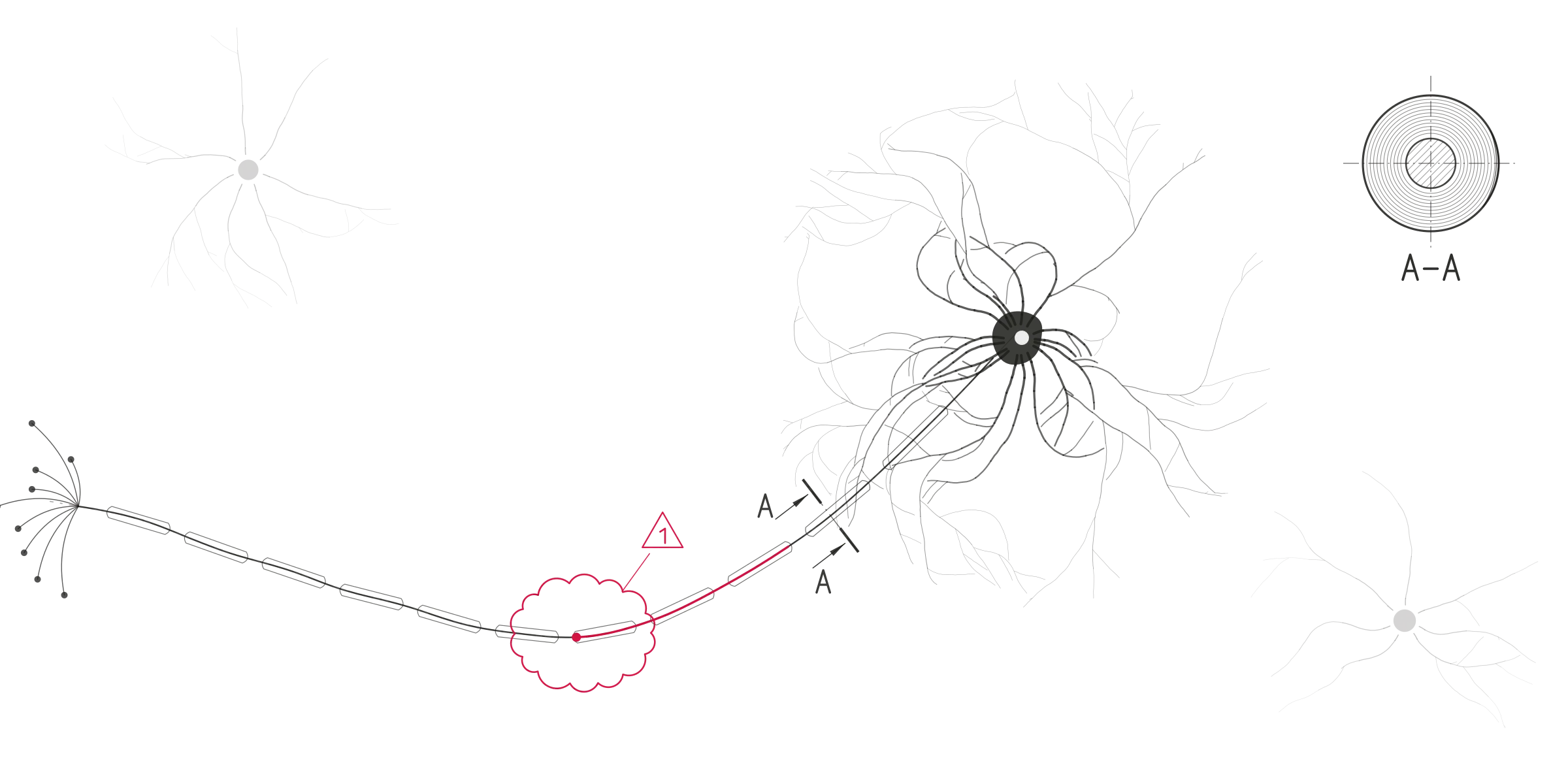
Drawing: a diatom, one cell with many parts working as one.
One change, three steps
Every change goes the same way.
A client writes that the go-live moves and a site is added. This is what AUVY does with that one mail.
Five parts
What AUVY does for the whole project.
The three steps work because five parts run underneath them, all live today.
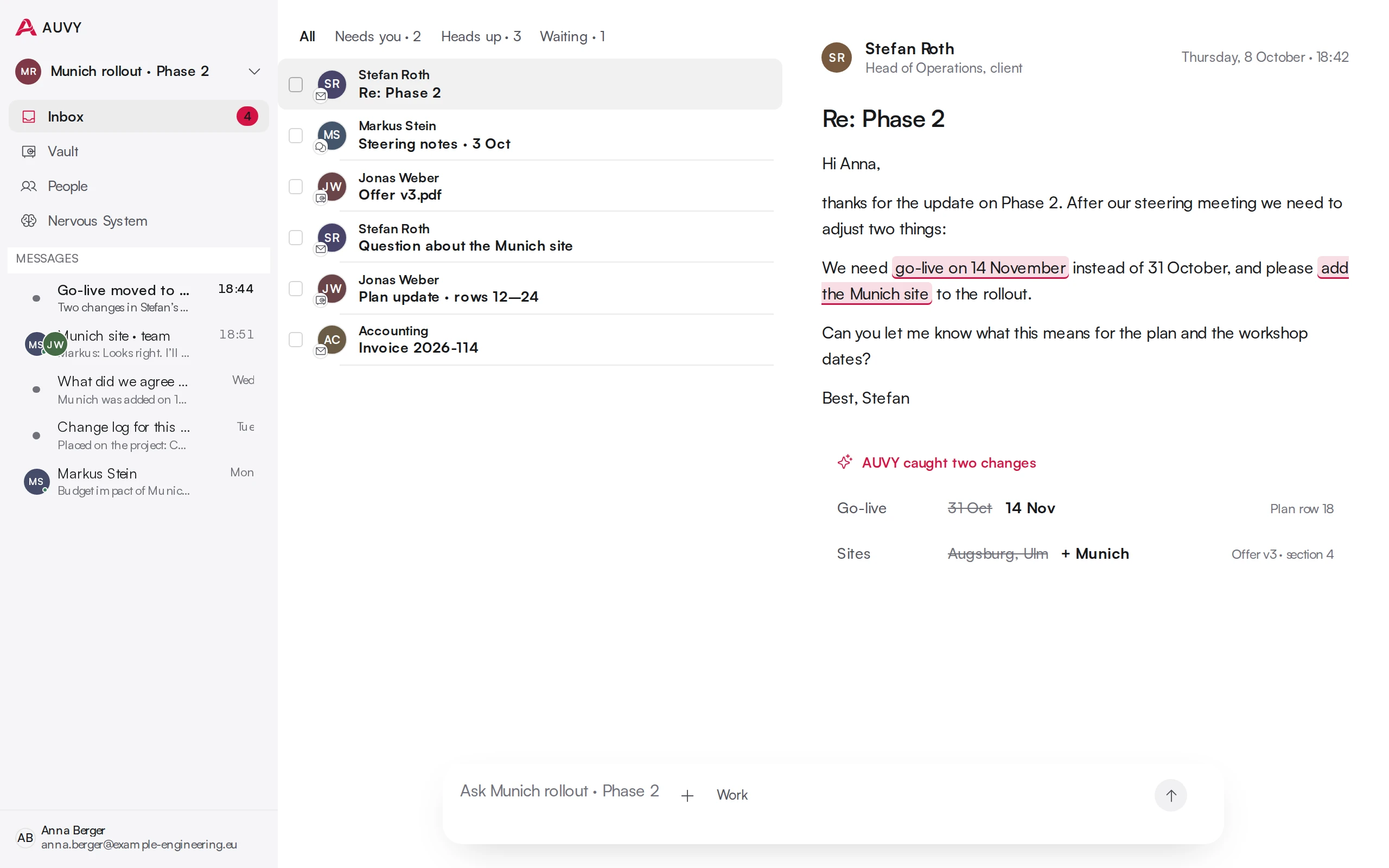
Catches
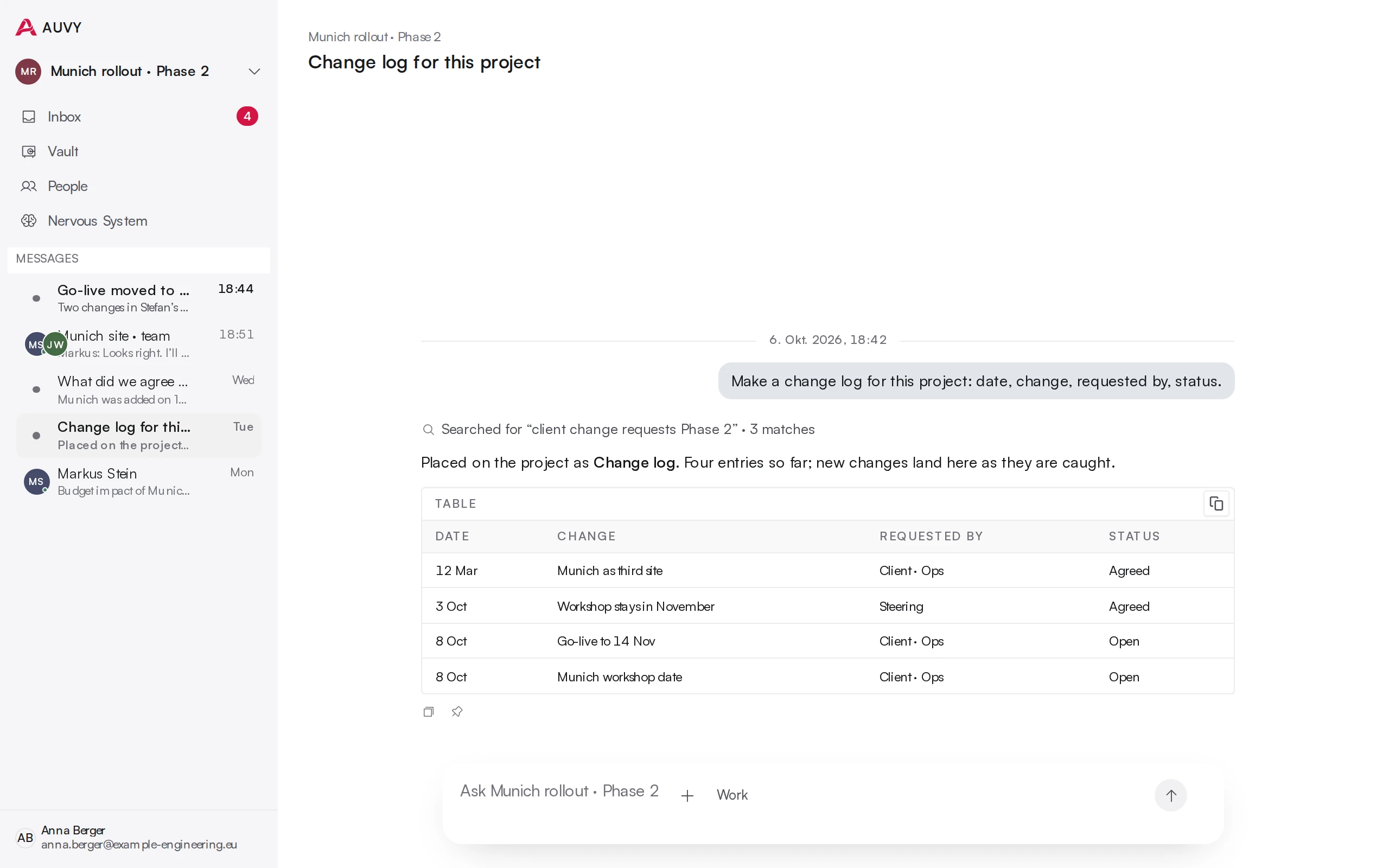
Every mail, note and file of a project, read and marked.
- Start from what you have
- A project folder and a mail thread are enough for the first project. Outlook, Teams and SharePoint keep it current.
- You choose the sources
- Each project reads only the sources you give it. Nothing else goes in.
- Changes are marked
- New dates, scope and requirements are marked in the message they came from.
- Projects can learn from each other
- Link two projects and the approved work of one becomes context for the other. Only when you link them.
Holds
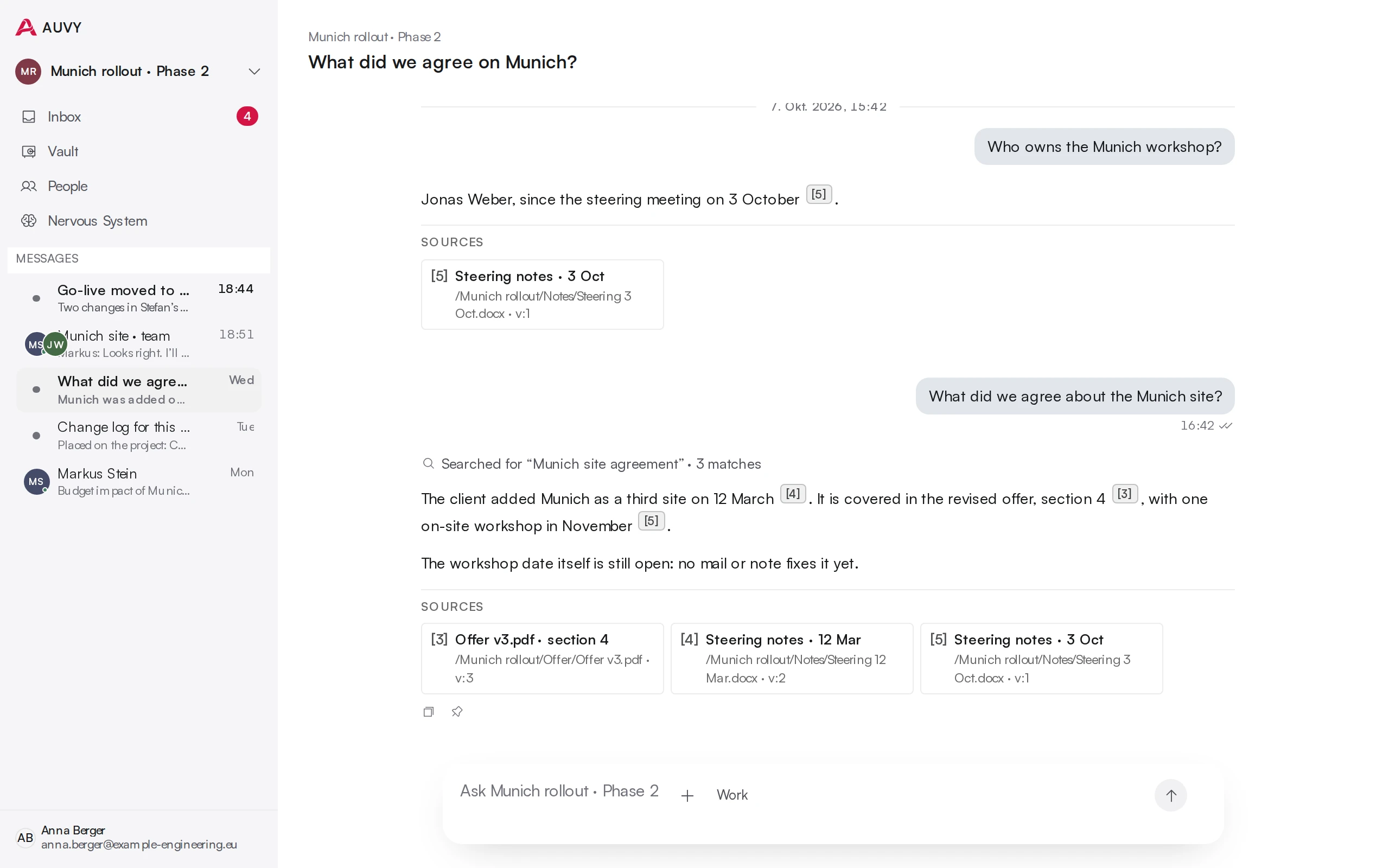
The live picture of the project, every sentence with its source.
- One shared picture
- Now, changed, needs you, next. The same state for everyone on the project.
- Answers with sources
- Every answer cites the document and the exact version it read. One click opens it.
- Gaps are shown
- AUVY shows how much of an answer is backed by a source, and names the sentences that aren't.
- History that holds
- Versions and a full trace, so you can see what was true when, and what replaced it.
Carries through
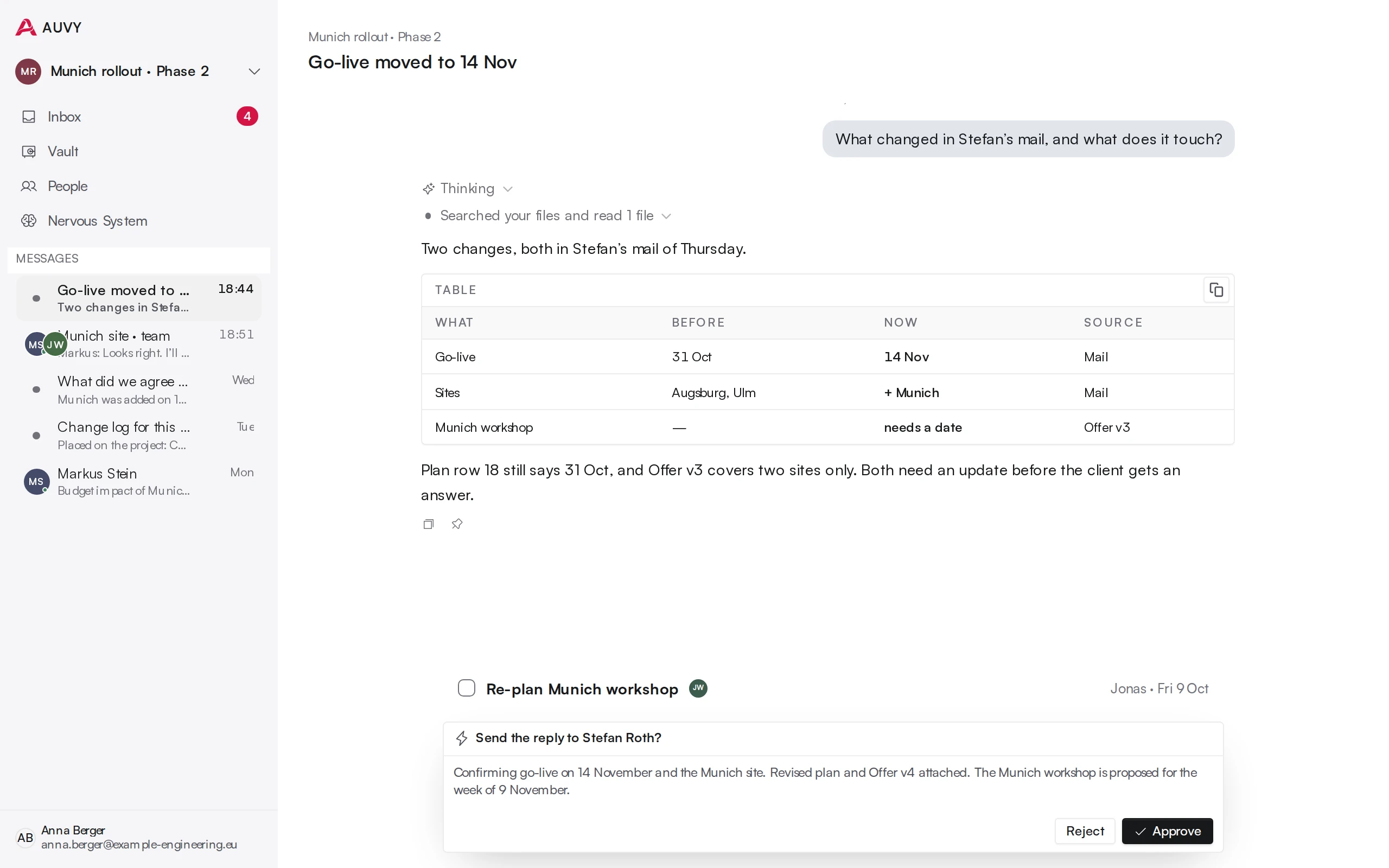
The next step prepared. A person decides. The client confirms.
- Review before anything leaves
- Accept, edit or reject every prepared step. Nothing goes out without it.
- Tasks with an owner and a date
- Every follow-up lands with a named person and a deadline.
- Clients decide by link
- Your client answers or approves from a link, without an account. The answer is recorded in the project.
- It stops and asks
- When a step needs a person, the run pauses, asks them by name and continues after the answer.
- Every step visible
- A live trace shows each step and tool AUVY used, as it happens.
- The same way every time
- Turn a way of working into a repeatable workflow the whole team runs.
Together
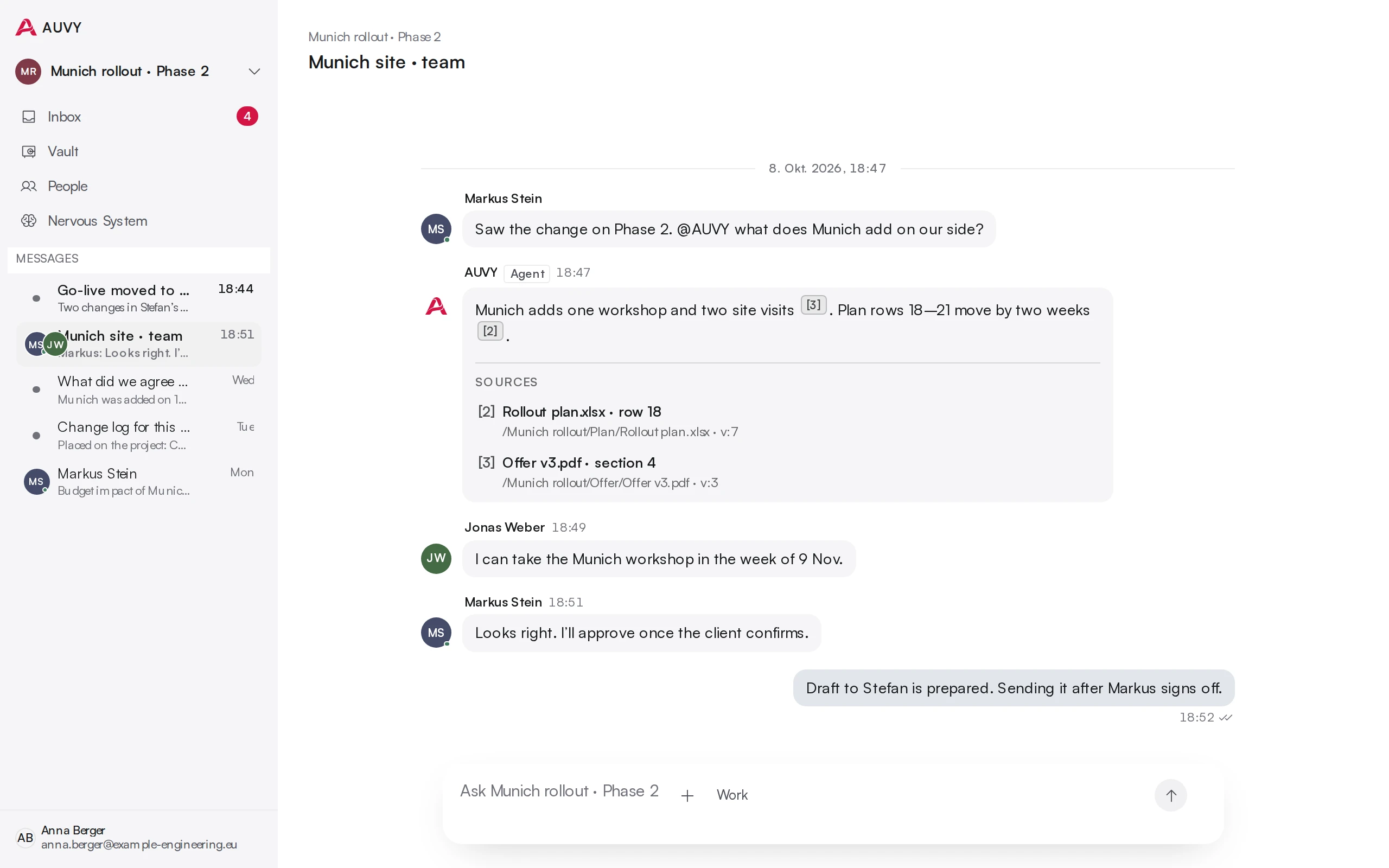
The whole team in the same project, with privacy where it matters.
- Built for teams
- A shared workspace for the people who deliver together.
- Shared AI threads
- Mention a colleague and they join the same conversation, with read and write access.
- Edit together, live
- Real-time co-editing with presence and cursors.
- Bring partners in
- Invite an outside partner into a single project, not your whole workspace.
- Share a read-only view
- Send a link to one view. Read only, nothing else visible.
- Privacy in layers
- Personal notes stay yours. Project content stays with the project. Sharing is always explicit.
Builds tools
Ask for the tool you need. It appears on the project, working.
- From a sentence to a tool
- Describe what you need. AUVY builds a working mini-app for it.
- Its own records
- The tool gets its own table and keeps what the team enters, across sessions and people.
- On the project, not somewhere else
- Place it as a card on the project home. No deploy, no separate cloud.
- Versioned
- Every change to the tool and its data has a history.
In depth

Where it stops
What AUVY does not do.
AUVY never sends on its own, never guesses, and never pretends to see a change it can't see.
- Send anything on its own
- Guess a change it cannot see in your sources
- Decide for you
- Replace your ERP or PLM
Questions about this
What problem does AUVY solve?
Changes that slip through. A client moves a date or adds scope in a mail, a meeting or a file, and nobody writes it down. AUVY catches the change, shows what it affects in the plan and the offer, and prepares the next step. A person decides.
How it works →Does AUVY send anything on its own?
No. AUVY prepares the next step. A person accepts, edits or rejects it. Nothing leaves without that.
Does AUVY replace our project tool?
No. It works beside Outlook, Teams and SharePoint and the tools you keep. It is not a replacement for your ERP or PLM.
How is a change followed through?
Every change becomes a task with an owner and a date. If a step needs someone, the run stops and asks that person by name, then continues. Your client can answer or approve through a link.